TeraBox Player & Downloader Online

Watch Any Video Instantly

Paste any TeraBox link to stream in HD — no app, no forced logins. A free, independent TeraBox link player and opener that works on phone, tablet and PC.

Join Our Telegram Channel Use Our LinkPlay Telegram Bot
LinkPlay Premium Unlimited Download No Ads Video in Telegram No Login ₹4930 DAYSGET → Support LinkPlay. Aapke ₹49 se hi LinkPlay chalta hai — fast, free aur sabke liye.

Updated

What is a TeraBox Online Player?

A TeraBox online player is an advanced web-based utility that acts as a direct bridge between you and cloud storage servers. Usually, when a friend or creator shares a video file with you, the official platform forces you to navigate through multiple pages, create a new account, or download their dedicated application to your device just to watch that single video.

Linkplay works as a fast TeraBox video player — paste any share link and watch instantly, no login needed. As a TeraBox player online, it removes every roadblock: the link is resolved automatically, and your video is ready to watch in your browser within seconds.

If you'd rather save the file for later, the same tool doubles as a TeraBox downloader online, giving you a direct MP4 in seconds — a pure, uninterrupted experience without ever leaving your current web tab.

How to Use the TeraBox Player

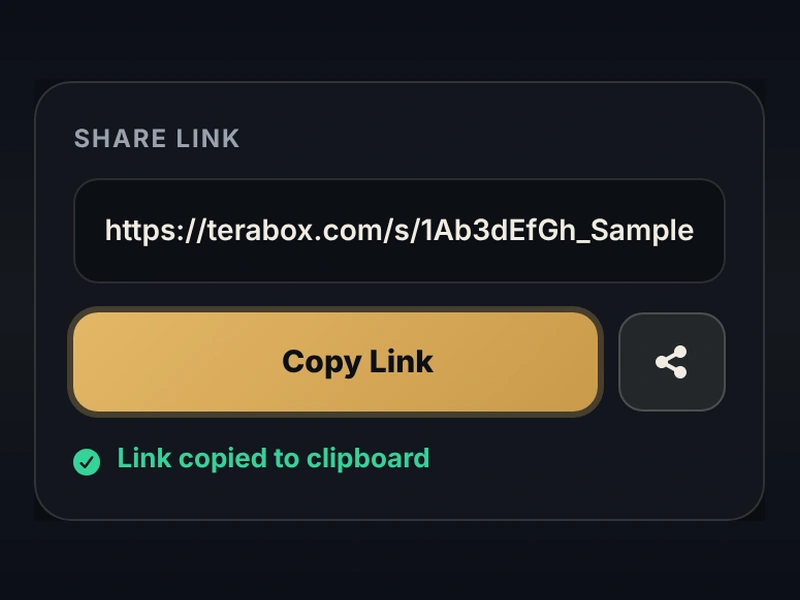
TeraBox link opener step 1: copy your TeraBox share link to open it in the Linkplay TeraBox player
1

Copy the Link

Open your TeraBox app or message and copy the public video share link.

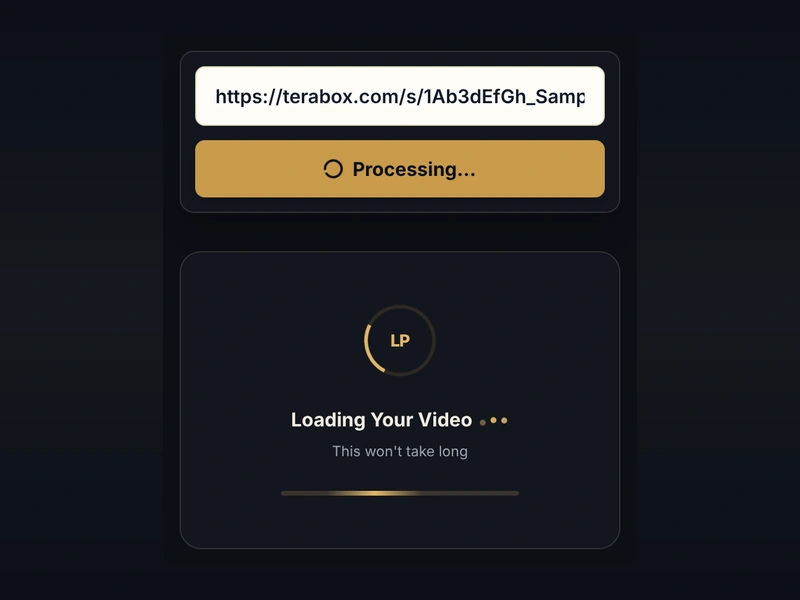
TeraBox player step 2: paste the link in Linkplay, the TeraBox link opener, and your TeraBox video loads
2

Paste Above

Paste the URL into the Linkplay box at the top of this page and press Enter.

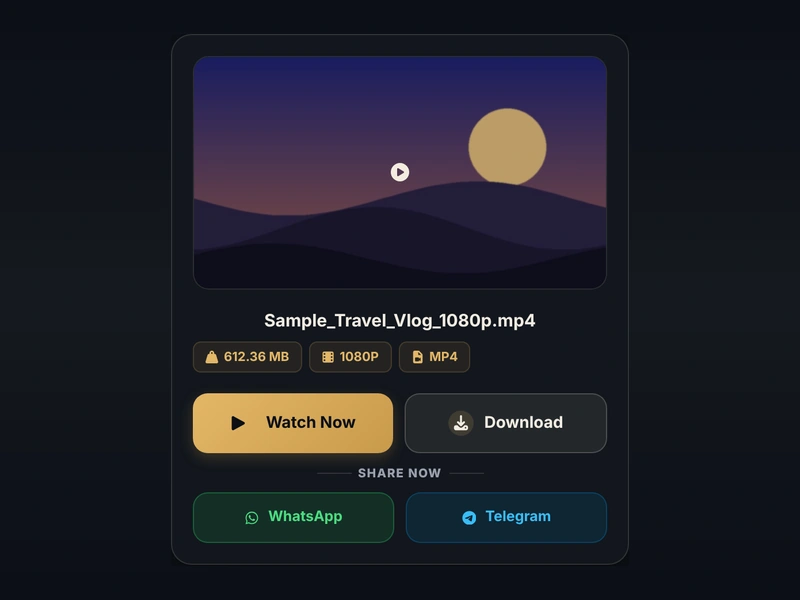
TeraBox downloader step 3: see the TeraBox video file name, size, quality and format before you download
3

See File Details

Linkplay shows the file name, size and format first, so you know exactly what you are getting.

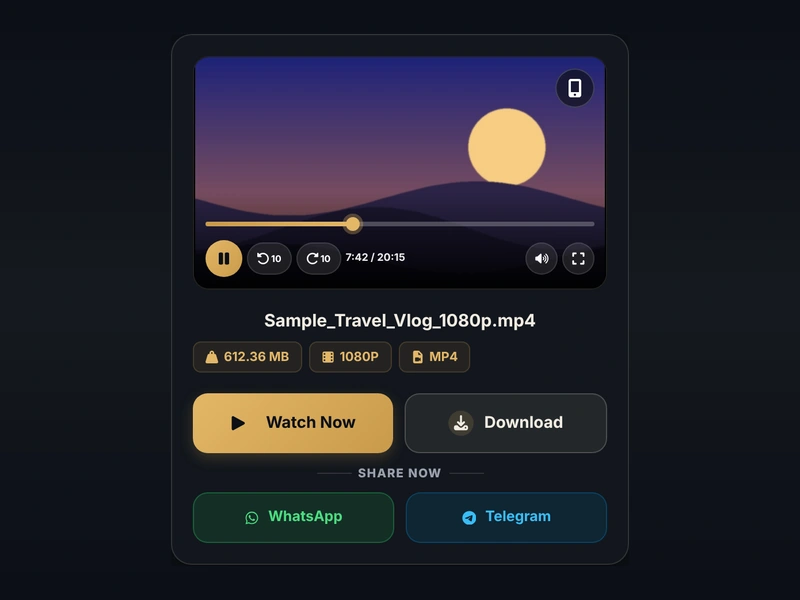
TeraBox video player step 4: stream your TeraBox video in HD instantly in the browser with Linkplay
4

Watch Instantly

Hit play. The link is resolved in seconds so you can start watching right away.

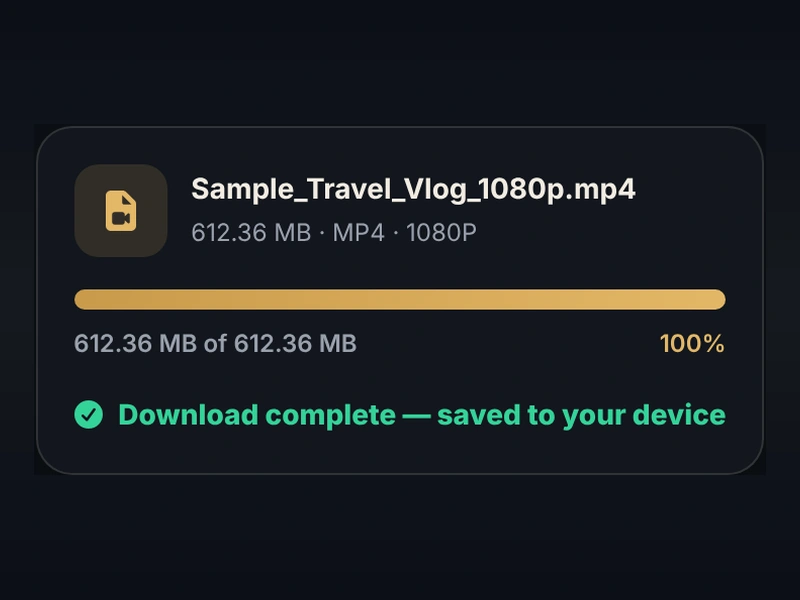
TeraBox video downloader step 5: download the complete TeraBox video file to your device with Linkplay
5

Download Complete Files

Save the full file to your device in one tap — no app and no sign-up.

Top Features of Our TeraBox Downloader

No App Installation Required

Stop downloading bulky software. Play everything seamlessly in your Chrome, Safari, or Firefox browser and save your device's internal storage.

Lightning-Fast HD Streaming

Our infrastructure utilizes global edge-caching networks. Heavy files are optimized on the fly, delivering buffer-free HD quality directly to your screen. Still seeing buffering elsewhere? Here's why TeraBox videos buffer and how to fix it.

Privacy First

No account needed. You don't have to hand over your email or link a social media profile — just paste the link and watch.

Universal Device Compatibility

Whether you are on an iPhone, an Android tablet, a Mac, or a Windows PC, our fully responsive web player adapts to fit your screen perfectly.

One-Click Direct Video Downloads

Prefer to watch offline? Alongside our streaming player, every resolved link provides a direct download button to save the original MP4 file to your device.

Which TeraBox Domains Does Linkplay Support?

TeraBox operates across several regional and mirror domains, and a share link can arrive from any one of them. Our TeraBox link opener works as a genuine TeraBox link resolver — built to recognize all of them automatically — just paste the link, and the underlying domain makes no difference to how our TeraBox video player resolves it.

17 Supported TeraBox Domains Tap to view the full list +
terabox.com
terabox.app
1024terabox.com
1024tera.com
1024tera.co
1024box.com
terafileshare.com
teraboxshare.com
teraboxapp.com
terasharelink.com
momerybox.com
4funbox.com
4funbox.co
mirrobox.com
nephobox.com
freeterabox.com
tibibox.com

Simply paste any link from these domains into the box above, and our TeraBox downloader handles the rest automatically. Whichever mirror your friend or creator happened to share from, Linkplay resolves it the same way — fast, and without asking which domain it came from.

Why Choose Linkplay Over Others?

There are many TeraBox link tools online, and many of them hide the video behind fake download buttons and pop-up redirects, or stop working when TeraBox changes something. Here is what Linkplay, a genuine TeraBox link downloader, does differently:

  • Built for Reliability

    Our engine is actively maintained and refined, meaning fewer "Invalid Link" errors and consistently higher success rates for you.

  • A Clean, Premium Experience

    We respect your time. The player and the Download button come first — ads never block the link box or the video, and there are no fake download buttons.

  • Multi-Domain Support

    Cloud platforms frequently change their domain names. Linkplay is programmed to universally recognize and process all mirror links, including terabox.com, 1024terabox.com, nephobox.com, and teraboxapp.com.

  • Works as Both a Player and a Downloader

    Most tools force you to pick one. Linkplay is a genuine TeraBox video downloader and a smooth TeraBox online downloader at once — paste your TeraBox direct download link once and choose to stream or save, no separate apps required.

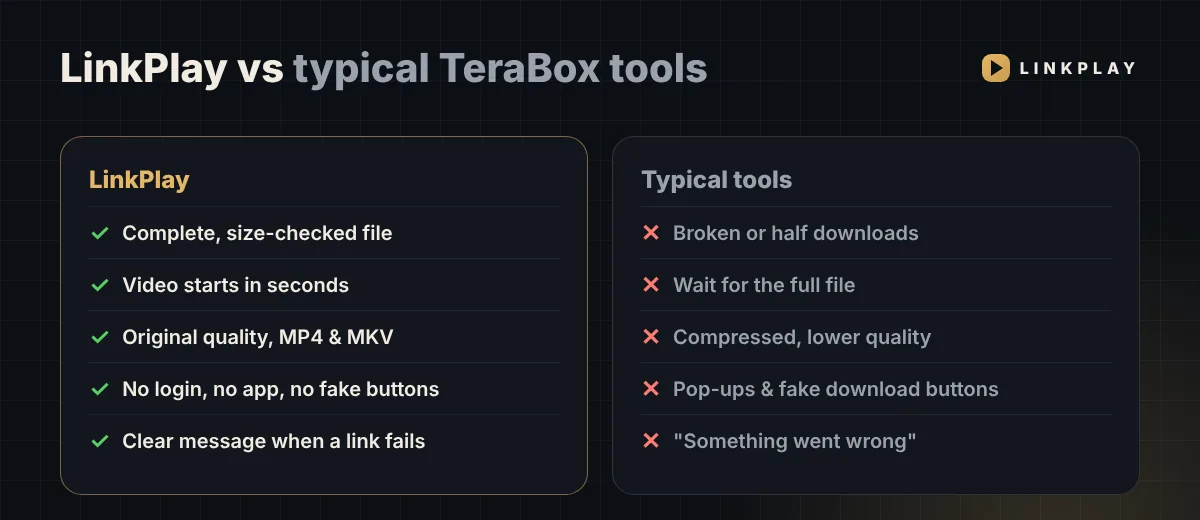
  • Full, Original Quality — Every Time

    No forced compression or downgraded resolution. Our TeraBox video player streams and downloads the file exactly as it was uploaded, so what you watch is what you get.

  • Complete File — Never a Broken Download

    Every download is size-checked when it finishes. You get the whole video, exactly as uploaded — never a half file that looks complete but won't play.

  • Starts in Seconds, Even for 1–2 GB Videos

    Our TeraBox online player begins playback almost immediately — you don't have to wait for a big file to fully load before it starts.

  • Original Quality in MP4 & MKV

    480p, 720p, 1080p or higher — whatever the uploader shared. As a TeraBox downloader online, Linkplay never compresses or re-encodes your video.

  • Clear Reasons When a Link Fails

    Deleted, cancelled or password-protected? Linkplay tells you exactly why, with a guide to every TeraBox error — not a vague "something went wrong".

  • Folder & Photo Links NEW

    Got a whole folder or a photo album? Paste the link and it opens with Videos, Photos and Folders tabs — play any video, view photos full screen and save the originals, and open subfolders. Part of LinkPlay Premium; see the TeraBox folder link opener.

  • Video Straight to Telegram NEW

    Send your TeraBox link to our LinkPlay Telegram bot and get the video right inside Telegram — watch it there or save it to your phone.

  • Continue Where You Left Off NEW

    Stopped a video halfway? It shows up under "Continue watching" on this device — one tap and it resumes from the same minute. Saved only in your browser.

LinkPlay vs typical TeraBox downloader tools: complete file, fast start, original quality, no login versus broken downloads and pop-ups

What Is LinkPlay Premium?

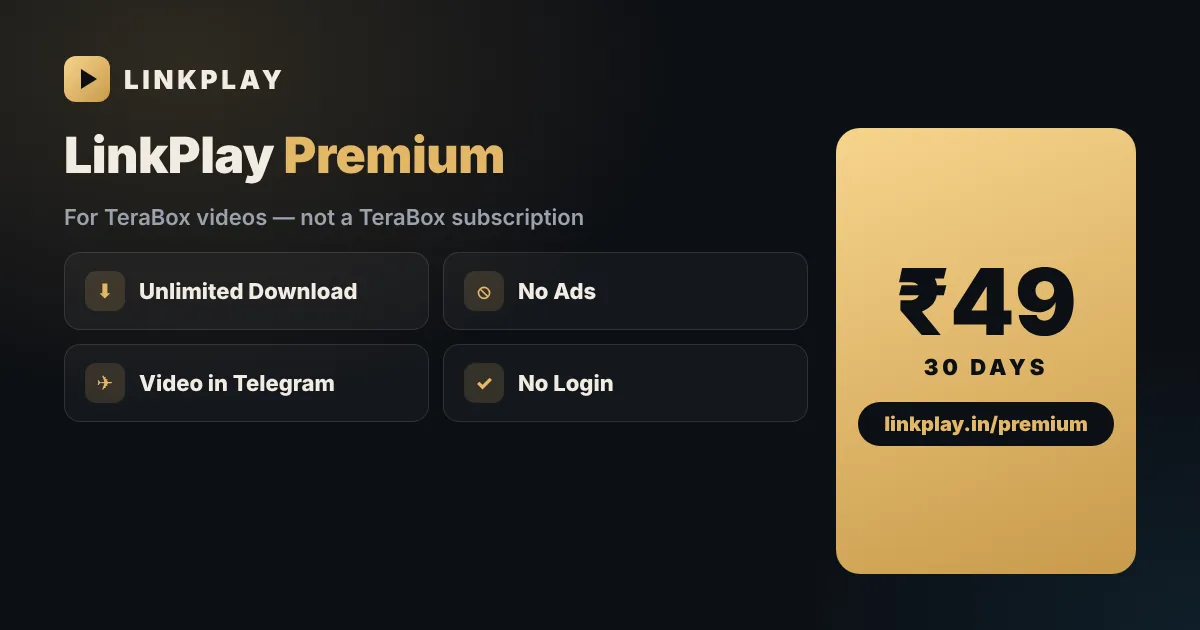
Single video links stay free for everyone. LinkPlay Premium is an optional ₹49 pass for 30 days for people who use LinkPlay often. It is our own plan — it is not TeraBox Premium and does not change your TeraBox account or storage.

Unlimited download

No daily limit on videos.

No ads

A clean player, nothing in the way.

Video in Telegram

Every video delivered by our bot.

No login

Pay by UPI, get a Premium Key.

Folder & photo links

Open full folders and save original photos.

Priority

Your links go first when the site is busy.

LinkPlay Premium for TeraBox videos: unlimited download, no ads, video in Telegram, no login — ₹49 for 30 days

Your ₹49 directly supports LinkPlay and keeps the free player running for everyone.

Understanding TeraBox and Share Links

What is TeraBox?

TeraBox (earlier called Dubox) is a cloud storage service run by Flextech Inc. It is best known for its free plan: 1 TB (1024 GB) of storage when you register, and single files of up to 128 GB. That is why so many people use it to back up phone videos and photos and to share files that are too big for WhatsApp or email.

The free plan shows ads and has speed limits; TeraBox earns from those and from paid plans such as Premium and No Ads. Recent versions of the app also add AI tools — summaries, transcription and photo tools — but for most people TeraBox is simply where a shared video lives.

LinkPlay is not a storage service and is not connected to TeraBox. It is a browser-based way to watch and download files that someone has shared with you as a public link. Comparing cloud services? See our TeraBox vs Google Drive comparison.

How Do Public Shared Links Work?

To share a file, the owner creates a public share link. It usually looks like terabox.com/s/1xxxx, and the same code also works on 1024terabox.com, teraboxapp.com and the other TeraBox domains — which is why the same video can reach you through different-looking links.

The owner stays in control of that link. They can cancel the share, delete the file or add a password at any time — that is what "expired", "cancelled" or "password-protected" errors mean, and only the owner can undo them. While the link is public, LinkPlay works as a TeraBox link converter: paste it and you get a clean player and a Download button, so you can enjoy TeraBox online play without the app. If a link shows an error, see why TeraBox links say expired or invalid.

Video, Photo or Folder — Which Link Do You Have?

All TeraBox links look alike (/s/1xxxx). Paste yours above and LinkPlay shows which type it is before anything plays:

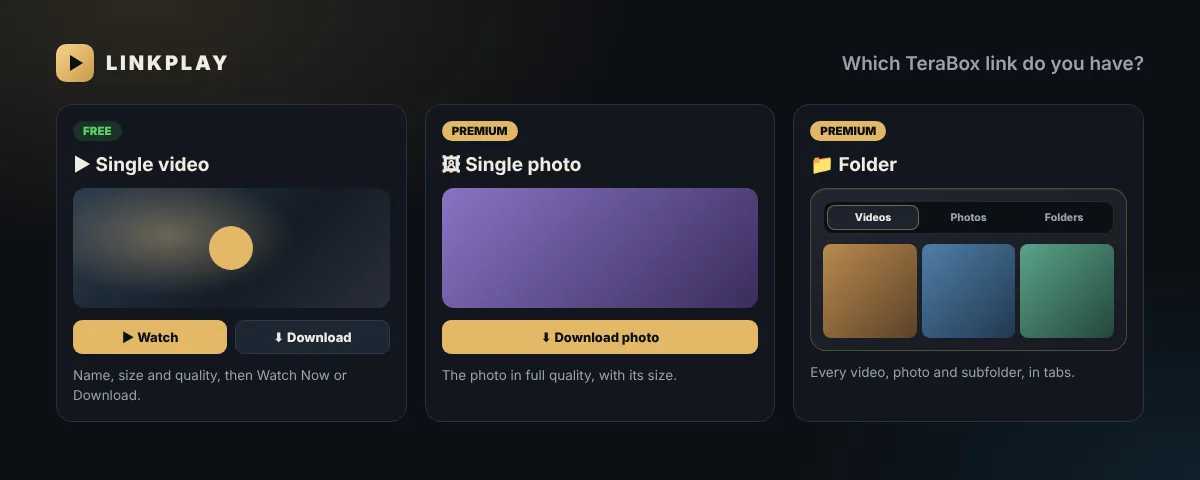
Single video FREE

Name, size and quality first, then Watch Now or Download.

Single photo PREMIUM

Opens in full quality with a Download photo button.

Folder PREMIUM

Videos, photos and subfolders in tabs. See the folder link opener.

Document or ZIP

Cannot be opened here — LinkPlay tells you clearly instead of failing.

TeraBox single video, single photo and folder links in LinkPlay: video is free, photo and folder open with Premium

TeraBox Mod APK vs. a Genuine TeraBox Downloader

Search "TeraBox mod apk" and you will find many modified apps promising Premium speed or no ads for free. They are not made by TeraBox — third parties repackage the app, and that is where the risk begins:

  • Hidden malware — installed from outside the Play Store, a modded app skips every security check.
  • Too many permissions — it may ask for contacts, SMS or storage that watching a video never needs.
  • Account ban risk — signing in through an unofficial app can get your real TeraBox account flagged.
  • No security updates — flaws found later are never fixed on your phone.
 TeraBox Mod APKLinkplay (browser)
Install neededYes, from unknown sourceNo — runs in your browser
Device permissionsOften contacts, SMS, storageNone
TeraBox loginRequired — ban riskNever asked
Security updatesNoneAlways the latest version
Price"Free" (with hidden risks)Free

A browser-based TeraBox downloader like LinkPlay needs no install, no permissions and no TeraBox login. Warning signs of a fake app and safer options are in our guide: is TeraBox Mod APK safe?.

Linkplay vs. Other TeraBox Downloader Online Tools

Not every TeraBox downloader online tool is built the same way. Some rely on outdated scrapers that break the moment TeraBox updates its security, others bury a working player behind five pop-ups. Here's how Linkplay compares on the things that actually matter:

Feature Linkplay Others Mod APK
No Installation Needed
No Forced Login Varies
No Forced Ads or Redirects Varies
17 Domains Supported Limited Varies
Zero Account Ban Risk
Stream + Download in One Usually one
Folder & Photo Links Rare Varies

Supported Formats & Devices

Linkplay works as a TeraBox player and TeraBox downloader in any modern browser. Here's what to expect on each device:

AndroidChrome, Edge, Brave. MP4 & MKV play in the browser; downloads go to your gallery. See watch TeraBox without the app.
iPhone & iPadSafari & Chrome. MP4 plays instantly; for some MKV/HEVC files, Download and open in VLC. See the TeraBox player for iPhone.
Windows & MacChrome, Edge, Firefox, Safari. Full HD streaming and one-click download. See the TeraBox player for PC.
Smart TVTV browsers or cast from your phone. See the Smart TV guide.
FormatStream in browserDownload
MP4 (H.264)EverywhereYes, original quality
MKVAndroid & PC; iPhone may need VLCYes, original quality
HEVC / H.265Newer phones & PCsYes — play in VLC if needed
480p – 1080p+As uploadedAs uploaded

Troubleshooting & Quick Fixes

Last updated:

Single video links need no account and no Premium. If a link doesn't open, LinkPlay shows a message — find it below to see what happened and what to do next.

30-second check before anything else

  1. Did you copy the whole link? Long-press the original message and copy it again.
  2. Does it contain /s/? That marks a share link; a page address will not work.
  3. Using a VPN or ad-blocker? Turn it off for a moment and try again.

Only the uploader can fix these

"This link has expired or the file was deleted"

The file or the share is gone. Fix: ask the sender to upload and share it again.

"The shared file has been cancelled"

The uploader switched off sharing. Fix: only they can re-share it.

"This link is password-protected"

A share password was added. Fix: open it in the TeraBox app with the password, or ask for a link without one.

"Blocked due to local laws and policies"

TeraBox has restricted this file. Fix: nothing can be done from your side.

More on these errors →

You can fix these in seconds

"Invalid link"

Part of the link is missing. Fix: long-press the original message and copy the full link again.

A folder or photo link

These open with LinkPlay Premium. Tip: for a single video, share that video's own link — it is free.

"Points to a document"

The file isn't a video or a photo. Fix: copy the link of the video file instead.

"This is not a TeraBox share link"

That's a page address. Fix: in TeraBox use Share → Copy link (it contains /s/).

"The link you clicked has expired (15-min limit)"

Your TeraBox link is fine — the play page timed out. Fix: paste the link again.

"Please complete the verification check"

The security box isn't ticked yet. Fix: wait for the tick; turn off VPN if it doesn't appear.

More on these errors →

Temporary — wait and try again

"Please try again in about 5 minutes"

The source is slow right now. Fix: wait a few minutes and paste the same link.

"Can't be fetched right now — try after a few hours"

The file is temporarily unavailable. Fix: try again later today.

Video won't play

A VPN, ad-blocker or weak network can interrupt streams. Fix: switch Wi-Fi/data, or tap Download and play it from your gallery.

Download stops midway

A changing connection can break big downloads. Fix: stay on one network, keep the screen on, and start again.

More on these errors →
Why did my TeraBox link fail?Every error explained in detail, with step-by-step fixes Read guide →

Still stuck? Tell us the exact message you see in our LinkPlay Telegram channel or through the contact page.

Frequently Asked Questions

How does LinkPlay work? +

Paste a public TeraBox share link into the box at the top and tap Generate Link. LinkPlay shows the file name and size, then gives you a player and a Download button right in your browser — no TeraBox app, no account and no login. That is why many people use it as a TeraBox link opener and TeraBox viewer. A copy may be cached for a short time so it plays faster, and is then deleted automatically.

Is LinkPlay free? Is there a limit? +

Yes. Watching and downloading single TeraBox videos is free, with no sign-up and no daily quota. During very busy times you may be asked to try again in a few minutes so everyone gets a fair share. LinkPlay Premium (₹49 for 30 days) is optional: no ads, priority, video delivered in Telegram, and folder and photo links.

Which TeraBox links does LinkPlay support? +

Public share links from all 17 TeraBox domains — terabox.com, 1024terabox.com, 1024tera.com, teraboxapp.com, terafileshare.com and the rest. Links to a single video are free; folder and photo links open with LinkPlay Premium.

Can I open a TeraBox folder or photo link? +

Yes, with LinkPlay Premium. Paste the folder link and it opens with Videos, Photos and Folders tabs: play or download any video, view photos full screen and save the originals, and open subfolders. A link to a single photo opens with a Download photo button. Step-by-step: TeraBox folder link opener.

Is LinkPlay safe and legal to use? +

LinkPlay is meant for files you have permission to view, such as a link someone shared with you. We do not host or promote pirated content, and copyright owners can contact us through our DMCA page. There is no account, so we never ask for your name, email or TeraBox password, and we do not keep a history of the links you open. Read our privacy policy.

Does LinkPlay work on Android, iPhone and PC? +

Yes. It runs in any modern browser — Chrome, Safari, Edge or Firefox — on Android, iPhone, iPad, Windows, Mac and Linux, so it works as a TeraBox web player without installing anything. TeraBox player for PC.

How do I get a TeraBox direct download link? +

Paste the link and tap Generate Link. The Download button on the video card is a direct link to the original file — use it soon after generating, and generate again if it stops working. There is no file-size cap on our side; videos of 4 GB have downloaded fine, they just take longer. Download TeraBox videos without login.

Do I get the complete original file? +

Yes. Every download is size-checked when it finishes, so you never get a half or broken video. The file is exactly as uploaded — same resolution, same format, no compression.

Which video formats does LinkPlay support? +

MP4 and MKV in their original quality, from 480p to 1080p and higher. Some MKV or HEVC (H.265) videos do not play inside the iPhone browser — tap Download and open the file in a player such as VLC.

Why did my TeraBox link fail? +

Most links fail because the uploader deleted the file, cancelled the share or added a password — only the sender can fix those. Errors you can fix yourself include a half-copied link or a link to a document instead of a video. LinkPlay shows the exact reason. Every TeraBox error explained.

Can I open a password-protected or private TeraBox link? +

No. Password-protected and private shares can only be opened in the official TeraBox app by people who have access. Ask the sender for a public link without a password.

Is there a TeraBox downloader bot on Telegram? +

Yes — @OfficialLinkplay_bot. Send it any TeraBox link and it replies with Play and Download buttons; with LinkPlay Premium the video itself arrives in your Telegram chat. How the Telegram bot works.

Is LinkPlay Premium the same as TeraBox Premium? +

No. LinkPlay Premium is our own optional plan — ₹49 for 30 days — with no ads, priority, video in Telegram and folder and photo links, paid by UPI with no login. It does not upgrade your TeraBox account or storage, and the free LinkPlay player stays free. See LinkPlay Premium.

Is LinkPlay safer than a TeraBox Mod APK? +

Yes. Modded TeraBox APKs are unverified, can carry malware and often ask for your TeraBox login. LinkPlay runs in your browser with nothing to install and never asks for your account.

Can I continue a TeraBox video where I stopped? +

Yes. LinkPlay remembers where you stopped on this device. Open LinkPlay again and tap the video under Continue watching, or paste the same link, and it resumes from the same point. This is saved only in your browser.