Why Did My TeraBox Link Fail? Every Error Explained (With Fixes)
You paste a TeraBox link, tap Generate Link, and instead of a video you get an error. Annoying — but almost every failed link has a simple reason, and once you know which error you're looking at, you know exactly what to do next.
This guide explains every error you can see when opening a TeraBox share link — whether you use the official app, a TeraBox downloader online or a TeraBox online player like LinkPlay — what each one actually means, and which ones you can fix yourself in seconds.
Quick answer
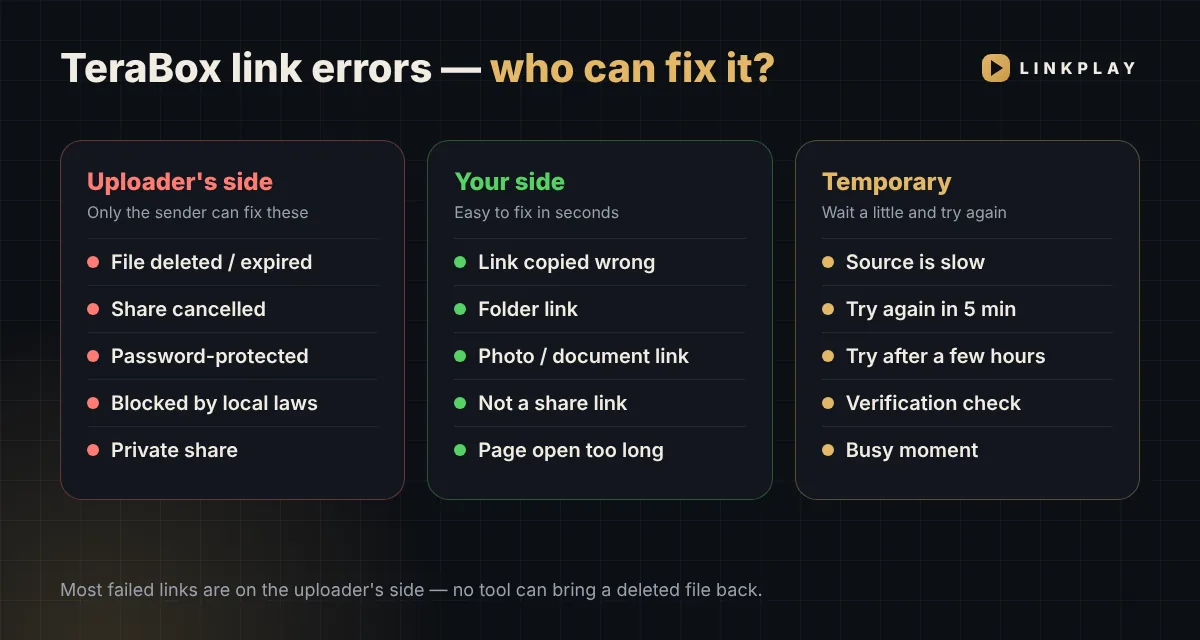
Most TeraBox links fail because of something on the uploader's side — the file was deleted, the share was cancelled, or a password was added. No tool can bring those back. But a few common errors — a half-copied link or a document instead of a video — are on your side and take seconds to fix.
All TeraBox Link Errors at a Glance
Find the message you saw in the left column. The table tells you what it means and whether you can fix it.
| Error you see | What it means | Can you fix it? |
|---|---|---|
| "This link has expired or the file was deleted" | The file or the share is gone | No — ask the sender |
| "The shared file has been cancelled" | The uploader stopped sharing it | No — ask the sender |
| "This link is password-protected" | A share password was added | No — open in TeraBox |
| "Blocked due to local laws, regulations and policies" | TeraBox restricted the file | No |
| "Invalid link" / "Doesn't look like a valid TeraBox link" | The link is broken or incomplete | Yes — copy it again |
| Folder or photo link needs Premium | You shared a whole folder or a photo | Yes — Premium, or share one video |
| "Points to a photo or document, not a video" | The file isn't a video | Yes — use the video's link |
| "This is not a TeraBox share link" | It's a page link, not a share link | Yes — tap Share → Copy link |
| "The link you clicked has expired (15-min limit)" | The play/download page was open too long | Yes — paste it again |
| "Please complete the verification check" | The quick security check isn't done | Yes — wait for the tick |
| "Please try again in about 5 minutes" | The source is slow right now | Wait & retry |
| "Can't be fetched right now, try after a few hours" | The file is temporarily unavailable | Wait & retry |
Errors Only the Uploader Can Fix
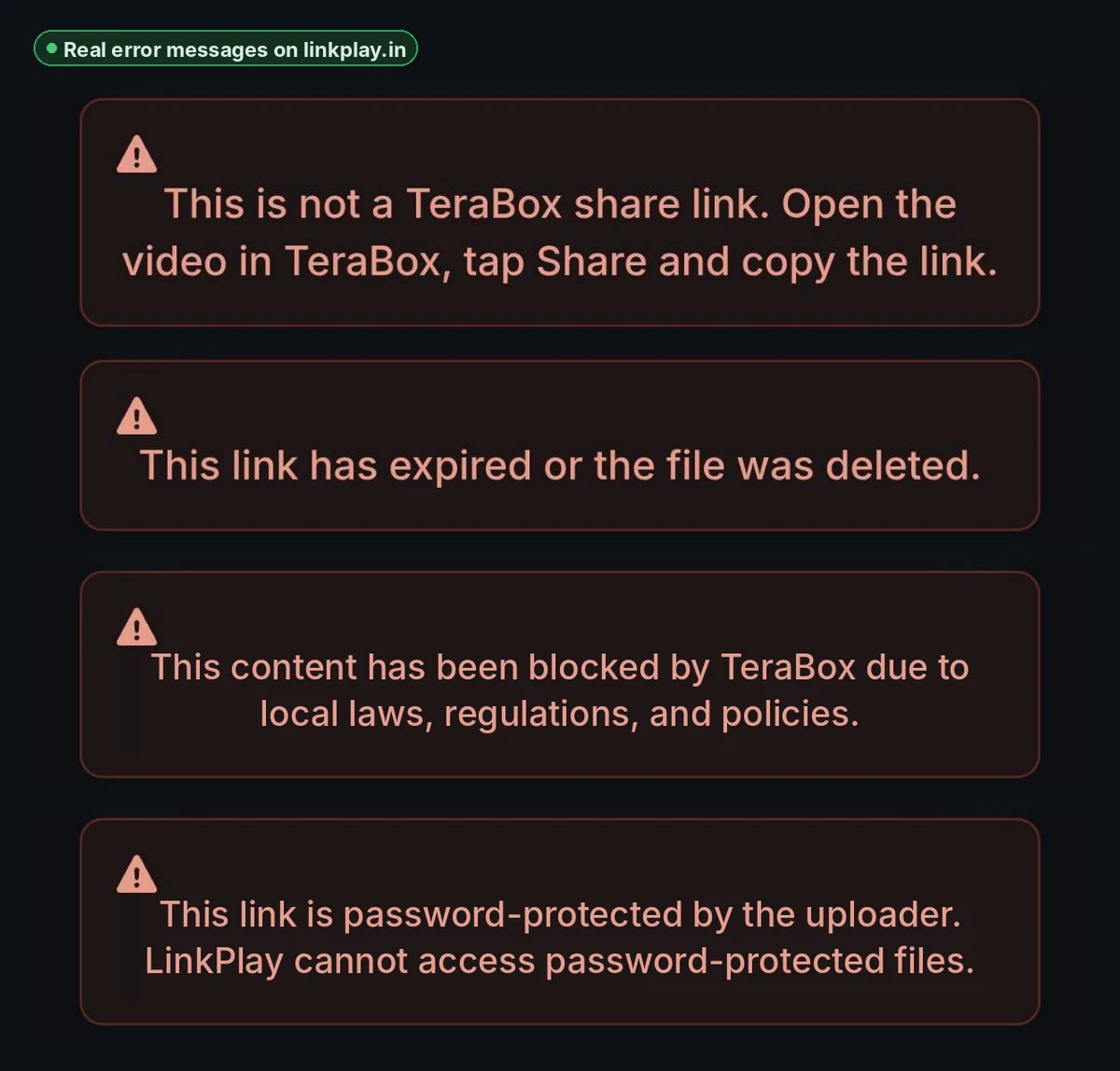
These errors come from the person who shared the file. The video isn't available to anyone through that link anymore — not in the TeraBox app, not in any TeraBox downloader. The only real fix is asking the sender for a new link.
"This link has expired or the file was deleted"
What it means: the uploader deleted the file, their account was removed, or the share was set to expire after a few days and that time has passed.
What to do: ask the person who sent it to upload and share the video again. A fresh link will work right away.
"The shared file has been cancelled by the uploader"
What it means: the file may still exist, but the uploader switched off public sharing. TeraBox itself shows this as "You are late, the shared file has been cancelled."
What to do: only the uploader can turn sharing back on. Ask them to re-share it.
"This link is password-protected"
What it means: the uploader added a share password (sometimes called an extraction code). Password-protected files can't be opened by third-party players.
What to do: open the link in the TeraBox app and enter the password the sender gave you, or ask them for a link without a password.
"Blocked due to local laws, regulations and policies"
What it means: TeraBox has restricted this file, usually after a copyright or content complaint.
What to do: nothing on your side can change this. If it's your own file, contact TeraBox support.
Errors You Can Fix Yourself
Good news — these are the most common mistakes, and each one takes a few seconds to fix.
"Invalid link" or "Doesn't look like a valid TeraBox link"
What it means: part of the link is missing or changed. This happens when you copy from a screenshot, retype it, or the chat app cuts it off.
How to fix: long-press the original message and copy the full link again. A complete link looks like terabox.com/s/1AbCdEf… or 1024terabox.com/s/….
"This link is a folder"
What it means: the link opens a folder with several files. Folder and photo links open with LinkPlay Premium; single video links are free.
How to fix: with LinkPlay Premium, paste the folder link on the website or send it to the bot — it opens with all its videos and photos (how it works). Or open the folder in TeraBox and share the link of one video — free.
"Points to a photo or document, not a video"
What it means: the shared file is a JPG, PDF, ZIP or similar — not a video.
How to fix: check that you copied the right link. LinkPlay plays and downloads video files only.
"This is not a TeraBox share link"
What it means: you copied the browser address of a TeraBox page instead of its share link.
How to fix: open the video in TeraBox and use Share → Copy link. Share links contain /s/.
"The link you clicked has expired (15-minute limit)"
What it means: your TeraBox link is fine — the LinkPlay play/download page you opened just timed out. For your privacy, these pages stay valid for 15 minutes.
How to fix: paste your TeraBox link again and tap Generate Link.
"Please complete the verification check"
What it means: the small security box under the button hasn't finished. It protects the service from bots.
How to fix: wait for the green tick, then tap Generate Link. If it doesn't appear, turn off your VPN or refresh the page.
Temporary Errors — Just Wait and Retry
These messages don't mean your link is broken. The file is fine; it just can't be reached at this exact moment.
"Please try again in about 5 minutes"
The source is responding slowly, so the download was paused. Wait five minutes and paste the same link again — it usually works on the next try.
"This video can't be fetched right now — try after a few hours"
The file is temporarily unavailable from its source. Try again later in the day; the same link will often work then.
"This link could not be resolved" or "Server temporarily unavailable"
A busy moment. Refresh the page and try once more. If it keeps happening, the link itself may be broken — check it with the steps below.
How to Check If a TeraBox Link Still Works (30 Seconds)
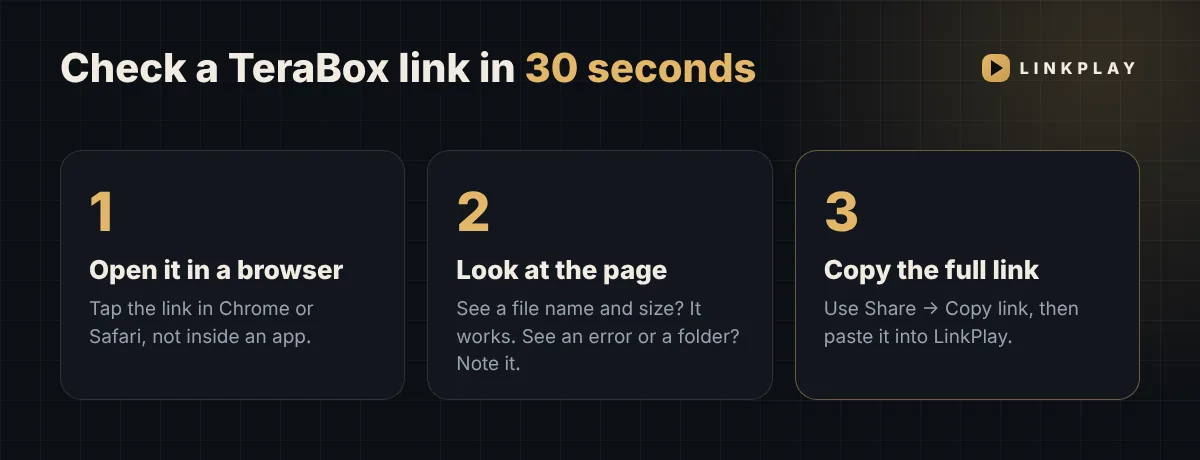
- Open the link in a browser. Tap it in Chrome or Safari rather than inside an app.
- Look at the page. If you see a file name, size and preview, the link works. If you see "expired", "cancelled" or a password box, it's an uploader-side problem.
- Copy the full share link using Share → Copy link and paste it into the LinkPlay TeraBox player.
How to Copy a TeraBox Link the Right Way
Android
Open the video in the TeraBox app → tap Share → Copy link. Or long-press the link in WhatsApp/Telegram → Copy.
iPhone
Long-press the link → Copy Link. Avoid copying from a screenshot — one wrong character breaks it. See the TeraBox player for iPhone.
PC
Right-click the link → Copy link address. Folder links open the whole folder with LinkPlay Premium.
Why LinkPlay Is a Better TeraBox Downloader & Online Player
When a link does work, you want it to open fast and give you the whole file. That's what LinkPlay is built for — a free TeraBox downloader and TeraBox player that runs in your browser.
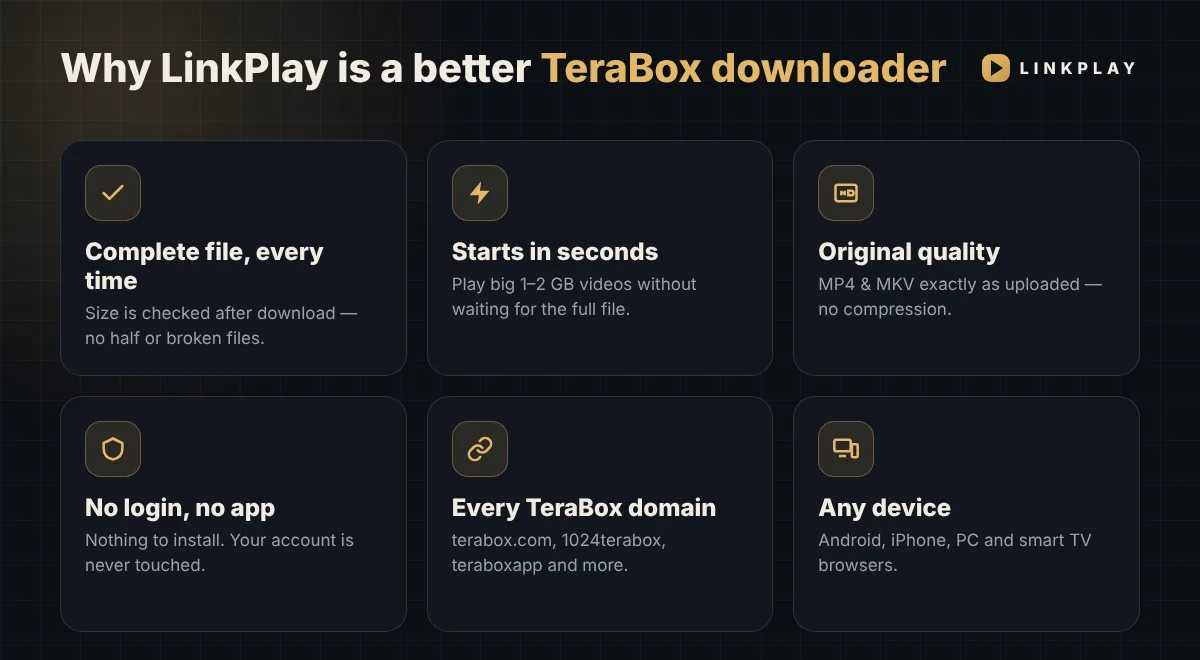
- Complete file, every time. Every download is size-checked when it finishes, so you never get a half or broken video saved as "complete".
- Starts in seconds. Even big 1–2 GB videos begin playing quickly in the TeraBox online player — no waiting for the whole file.
- Original quality. MP4 and MKV files stream and download exactly as uploaded — 480p, 720p, 1080p or higher. No compression.
- No login, no app. Nothing to install, no account, no permissions. Your TeraBox account is never touched.
- Clear errors. If a link fails, you see the real reason — like the ones in this guide — not a vague "something went wrong".
- Every TeraBox domain, any device. terabox.com, 1024terabox.com, teraboxapp.com and more — on Android, iPhone, PC and smart TV browsers.
Want to use it from chat? The LinkPlay Telegram bot works the same way — send a link, get Play and Download buttons.
Updated November 2026New in November 2026: Errors We See Most Often Now
Over the last few weeks, three situations have caused most "link not working" reports. First, folder links — someone shares a whole folder instead of a single video. With LinkPlay Premium these now open directly: paste the folder link and pick the video or photo you want. Without Premium, share the single video's link instead.
Second, links copied with extra text. Messages often wrap the link in other words or cut it off. Copy only the part that starts with https:// and ends with the code after /s/.
Third, links that open in TeraBox but not anywhere else. This usually means the file is private or the share was turned off a moment ago. Ask the sender for a fresh share link.
If a link still won't open, send it to our LinkPlay Telegram bot — it gives the same clear reason, and when the link works you get the video right inside Telegram.
If the link keeps opening the TeraBox app instead of your browser, Android can be told to stop doing that — see watch TeraBox without the app. And if only the Download button stopped working, the direct download link has simply expired after 15 minutes.
Frequently Asked Questions
Why is my TeraBox link not working?
Most TeraBox links stop working because the uploader deleted the file, cancelled the share or added a password. A few failures are easy to fix yourself: the link was copied incompletely, or it points to a document instead of a video.
Can I open a TeraBox link that was deleted or cancelled?
No. When a file is deleted or the share is cancelled, it is no longer available through that link in the TeraBox app or in any TeraBox downloader. Only the person who shared it can upload and share it again.
How do I open a TeraBox folder link?
With LinkPlay Premium, paste the folder link on the website or send it to the Telegram bot. The folder opens with its videos, photos and subfolders, so you can play or download each video and save the photos. Without Premium, share a single video link instead — that is free.
Can LinkPlay open password-protected TeraBox links?
No. Password-protected shares can only be opened in the official TeraBox app with the password. Ask the sender for a link without a password if you want to use a browser-based TeraBox player.
What does 'the link you clicked has expired (15-min limit)' mean?
Your TeraBox link is fine. The LinkPlay play or download page you opened stays valid for 15 minutes for privacy. Paste your TeraBox link again and tap Generate Link to get a fresh one.
Is LinkPlay a free TeraBox downloader?
Yes. LinkPlay is a free TeraBox downloader online and TeraBox online player. It needs no login and no app, and downloads the complete file in its original quality.
Why does my TeraBox link open in the app but not on LinkPlay?
Usually because the file is private, the share was cancelled, or a password was added. LinkPlay can only open public share links. Ask the sender to share it again without a password.
Can I open a TeraBox link in Telegram instead of the browser?
Yes. Send the link to @OfficialLinkplay_bot on Telegram. If the link works, you get Play and Download buttons, and your first videos can be delivered straight into Telegram.
Got a working link? Skip the app entirely.
Open Linkplay Now