About LinkPlay.in
A faster, simpler way to watch and download TeraBox videos — no app, no login, no waiting.
Last updated: October 9, 2026
What Is LinkPlay?
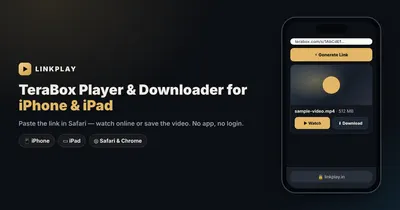
LinkPlay.in is an independent, browser-based TeraBox video player and downloader. Paste a TeraBox share link, and LinkPlay resolves it instantly — no sign-up, no software to install, no account to create. We are not affiliated with TeraBox, Flextech Inc., or any of their subsidiaries; LinkPlay is a third-party utility built independently to make shared TeraBox content easier to reach, on any device, through nothing more than a web browser.
Our mission is simple to state, even if it took real work to build: make TeraBox streaming and downloading effortless, private, and free — for anyone who's ever received a shared link and just wanted to watch it. Every day, countless videos are shared through TeraBox links — across WhatsApp groups, Telegram channels, and social feeds. The official app often demands storage space and account sign-up just to open one shared video. LinkPlay removes that requirement entirely.
Every video you process through LinkPlay is streamed or downloaded directly — nothing is permanently stored on our end beyond a short caching window used purely for performance. Try it now with any TeraBox link you have.
Why Did We Build LinkPlay?
LinkPlay began with a frustration a lot of TeraBox users will recognize immediately: someone shares a video link, and instead of just watching it, you're met with an app-install prompt, a login screen, and a storage-permission request — for a video you might watch once and never open again.
The idea behind LinkPlay was almost stubbornly simple: if a link can be shared, it should be watchable without extra steps. TeraBox itself is a genuinely capable cloud-storage platform, and its sharing feature gets used constantly across Telegram channels, WhatsApp forwards, and community groups. But actually opening that shared link — especially without the app already installed — felt disproportionately heavy for what should be a lightweight action.
That gap, between "here's a link" and "here's the video, playing," is what LinkPlay was built to close. Rather than asking anyone to install anything, LinkPlay runs entirely in the browser. Paste a link, and within seconds the video is ready — no account, no app taking up storage, no unnecessary permissions requested. The goal was never to replace TeraBox; it was to build a faster front door to content that was already meant to be shared and watched.
What started as a fix for a personal annoyance has grown into something people rely on daily — students accessing shared material, communities exchanging content through Telegram, or anyone who just got sent a link and wants to watch it right now, not after a ten-minute detour through an app store.
How Does LinkPlay Work?
Behind every video you watch or download through LinkPlay is a purpose-built engine designed to do one job well: turn a shared link into a working video, quickly and reliably. This isn't a repackaged wrapper around someone else's tool — it's infrastructure we built and continue to maintain ourselves.
Built for Speed
Watching shouldn't mean waiting. Playback is designed to begin within moments of clicking "Watch Now" — you're not stuck staring at a progress bar before anything happens.
Built for Reliability
Large cloud platforms occasionally slow down — a normal part of operating at scale. Our engine handles these moments gracefully rather than simply failing.
Built for Any Device
Whether you're on a budget phone or a high-end desktop, LinkPlay is designed to run smoothly. The heavy lifting happens on our servers, not yours.
Continuously Improved
We actively monitor performance and refine our systems as usage grows, so the experience keeps getting faster over time — not slower.
We keep the specifics of how this engine works to ourselves. Partly because it's simply not information you need to use the tool — and partly because it took real, ongoing effort to build. What matters on your end is the result: a link that becomes a playable video, fast.
Is LinkPlay Safer Than Mod APKs?
Search "TeraBox downloader" and you'll find no shortage of modified APK files promising unlimited downloads or unlocked premium features. These come with real, well-documented risks that are worth understanding before you install anything.
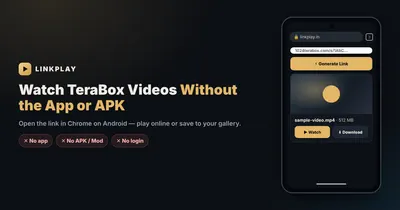
Modified APKs require sideloading — installing an app from outside the Play Store, which means bypassing Android's built-in security scanning entirely. A sideloaded APK can request broad device permissions with no accountability for how that access gets used, and no app-store review ever inspected its code. LinkPlay requires no installation at all — it runs in the same browser you already trust for banking and email.
No modified login credentials are ever requested, either. Mod APKs claiming "premium TeraBox access" often ask you to enter your actual TeraBox account details into an unverified app — a genuine account-security risk. LinkPlay never asks for your TeraBox login at any point; it works purely from the public share-link you already have. For a task as simple as watching a shared video, installing an unverified app is a disproportionate risk — and one LinkPlay was built specifically to remove. Read more in our full breakdown of whether TeraBox itself is safe to use.
Why Is LinkPlay the Best TeraBox Video Player?
There's no shortage of tools calling themselves a "TeraBox player online" or a quick "TeraBox opener" — but most either redirect you elsewhere, bury the link behind ads, or simply don't work reliably. Here's what actually sets LinkPlay apart:
- Complete video downloads, always — no partial files, no broken downloads.
- Instant streaming — watch immediately, no waiting for a full download first.
- Zero login, zero app install — everything works from the browser you're already using.
- Genuinely free — no subscription tiers, no hidden charges.
- Works everywhere — mobile, tablet, or desktop, on any modern browser.
- No account required — nothing to sign up for, nothing to remember a password for.
Is My Data Safe with LinkPlay?
LinkPlay is built around one simple principle: what you do on this site is your business, not ours. There's no account to create, which means there's no persistent user profile to build in the first place. The link you paste is used to resolve and serve your video — and nothing more.
Every request runs through encrypted, secure verification, designed so that access links are unique and time-limited. We don't ask for your email, your name, or any personal detail to use the core tool. We'd rather be upfront about being an independent, unofficial utility than overpromise on what we are. Full details live in our Privacy Policy.
Which TeraBox Links Does LinkPlay Support?
As a TeraBox player built to work across the whole platform, LinkPlay covers TeraBox's full family of share-link domains — including terabox.com, 1024terabox.com, terasharefile.com, teraboxapp.com, terasharelink.com, momerybox.com, nephobox.com, 4funbox.com, mirrobox.com, and more than a dozen additional mirror domains TeraBox uses globally. Wherever your share link comes from within that ecosystem, LinkPlay is built to recognize and resolve it — including links opened via a Smart TV or desktop browser.
Our Roadmap & Ongoing Commitment
LinkPlay is actively maintained, not a one-time project left to quietly stagnate. As TeraBox's own platform evolves, we continuously adapt to keep pace — a tool that silently breaks and never gets fixed helps no one. Looking ahead, our focus stays on broader domain support, continued speed improvements, and refining the experience based on real feedback from people actually using it.
Our commitment hasn't changed since day one: keep this tool fast, free, and free of unnecessary friction — for as long as people find it useful.
What Doesn't LinkPlay Do?
In the interest of being upfront: LinkPlay does not host, store, or permanently archive video content. We're not a file-upload service — you can't upload content to LinkPlay, only resolve links that point to existing TeraBox-hosted content. We don't offer video editing, format conversion, or compression, and we never modify, re-encode, or alter the original file — what you receive is the source video, unchanged. And we're not a substitute for a TeraBox account if you need to upload or manage your own cloud storage — for that, TeraBox's own app remains the right tool. If what you're looking for is simply a reliable Tera downloader or a safe TeraBox link viewer for content someone already shared with you, that's exactly what LinkPlay is built for.
Ready to try it yourself?
Open Linkplay Now