How to Delete Your TeraBox Account (Step by Step, 2026)
Maybe you've moved your files somewhere else, or you simply don't use TeraBox anymore. Deleting the account is possible from the TeraBox app, but it is permanent — so do a couple of things first. Here is the full process.
Before You Delete: 3 Things to Do
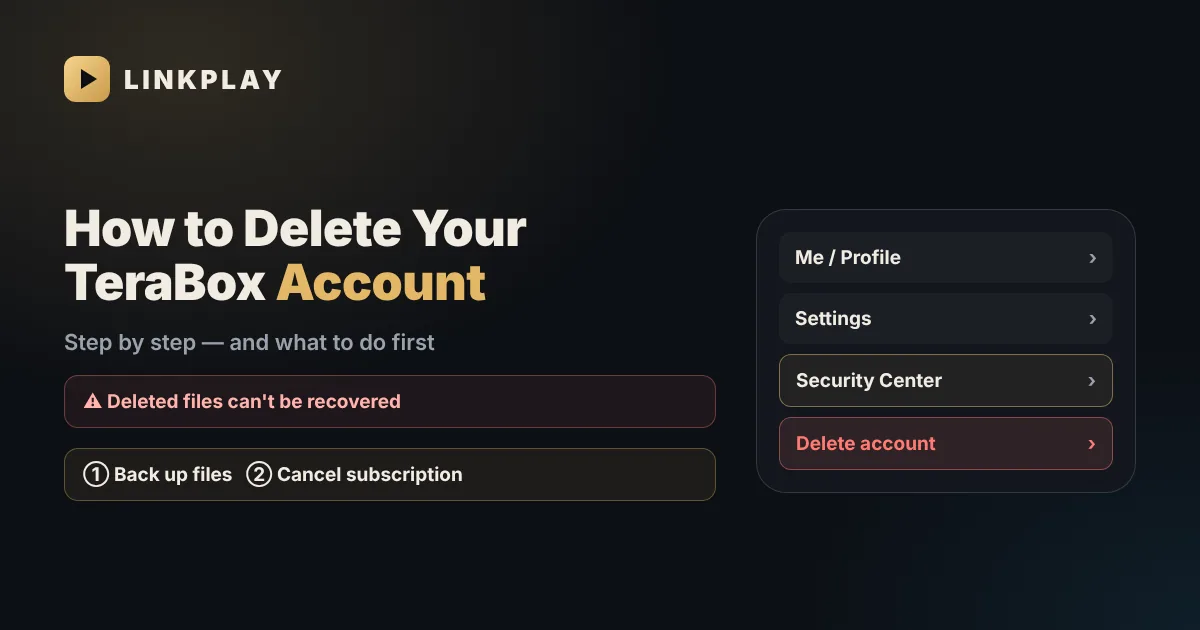
- 1Back up your files. Download everything you want to keep to your phone, PC or another cloud service.
- 2Cancel any TeraBox subscription. If you pay for TeraBox Premium through Google Play or the App Store, cancel it there first. Deleting the account does not automatically stop a store subscription.
- 3Tell people who use your links. Anyone you shared files with will see "link invalid" once the account is gone. Send them the files another way if they still need them.
How to Delete a TeraBox Account in the App
Account deletion is done from the TeraBox mobile app. Menu names can change a little between app versions, but the path is usually:
- 1Open the TeraBox app and sign in to the account you want to delete.
- 2Tap Me (your profile) at the bottom of the screen.
- 3Open Settings (the gear icon).
- 4Go to Security Center or Account Security.
- 5Tap Delete account (sometimes called "Cancel account" or "Deactivate").
- 6Read the warning, choose a reason if asked, and confirm. You may need to enter a verification code sent to your email or phone.
What Happens After You Delete
- All files, photos and videos in the account are erased.
- All share links from the account stop working.
- You can no longer sign in with that account. Creating a new account later starts from zero.
- Any remaining Premium time on the account is lost — another reason to cancel the subscription first.
Can't Delete Your Account? Try This
- Verification code not arriving — see our TeraBox login problems guide for OTP fixes.
- Option missing — update the app to the latest version; older versions may not show it.
- Still stuck — use the Help / Feedback section inside the TeraBox app to ask TeraBox support to delete the account.
Don't Want to Delete? Alternatives
If you only want fewer notifications or less storage used on your phone, you can sign out, turn off auto-backup, or uninstall the app — your files stay safe in the cloud. And if you only use TeraBox to open links people send you, you don't need an account at all.
Watch TeraBox Links Without an Account
LinkPlay opens public TeraBox share links with no login and no app: paste the link, then watch or download. On Telegram, send the link to @OfficialLinkplay_bot. LinkPlay is not connected to your TeraBox account, so there is nothing to delete on our side.
Deleting your account does not stop you from watching videos others share with you. You can still open them without any login — see watch TeraBox without the app.
Frequently Asked Questions
Can I delete my TeraBox account from the website?
Generally no. The delete option is in the TeraBox mobile app, under Me → Settings → Security Center (or Account Security) → Delete account.
Can I recover a deleted TeraBox account?
No. Deletion is permanent, and the files in the account can't be recovered. Back up everything you need before you delete.
Will deleting my TeraBox account cancel my subscription?
Not automatically if you pay through Google Play or the App Store. Cancel the subscription in the store first, then delete the account.
What happens to links I shared from TeraBox?
They stop working. Anyone who opens them will see that the file is unavailable.
Do I need a TeraBox account to watch shared videos?
No. Public share links can be watched without an account on LinkPlay or with the @OfficialLinkplay_bot on Telegram.
Need to watch a TeraBox link? No account needed.
Open LinkPlay